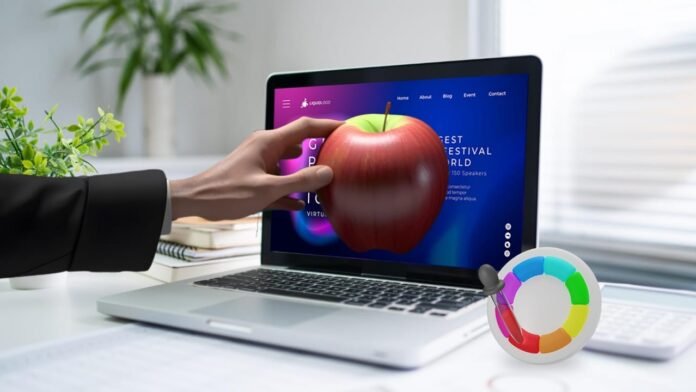
Interactive computer graphics is a dynamic field of computing that enables users to generate, manipulate, and interact with visual content in real time through hardware and software systems. In today’s digital era, understanding what are the components of interactive computer graphics is essential for students, developers, designers, and tech enthusiasts alike. This article takes a deep dive into the essential elements of interactive graphics systems, how they work, real‑world applications, and the evolution of this exciting technology.
Introduction to Interactive Computer Graphics
Computer graphics refers to the creation, representation, transformation, and display of visual images using computers. It plays a vital role in user interfaces, scientific visualization, design, and multimedia applications. Interactive computer graphics adds the dimension of real‑time user engagement — allowing people to send input to the system and receive instant visual feedback — making the experience immersive and responsive.
Interactive graphics systems are not only about producing static pictures; they respond to user actions instantly by altering visual content. Whether it’s dragging a shape, zooming into a 3D model, or rotating a scene with a touch gesture — these interactions require a combination of specialized hardware and software working seamlessly together.
The Fundamental Components of Interactive Computer Graphics
Interactive computer graphics systems are built from several key components. Each part plays a distinct role, and together they form a complete ecosystem capable of producing and managing graphical content dynamically.
Hardware Components
Input Devices
Input devices are the channels through which humans interact with the system. Common interactive devices include:
- Keyboard – For command inputs and parameter changes
- Mouse or Trackpad – For point‑and‑click navigation
- Touchscreens and Stylus Pens – For direct manipulation of objects
- Game Controllers and VR Devices – For immersive or complex interactions
These devices translate user intention into a language that the computer can process.
Display Devices
Once graphics are generated, they must be shown to the user. Display devices such as high‑resolution screens, monitors, or even projector systems present graphical content in a visual format. Monitors vary in type — including LED, LCD, and OLED — each with different color depth, resolution, and refresh rates, all contributing to the overall visual quality.
Processing Hardware
- Central Processing Unit (CPU): Handles general system tasks and manages instructions
- Graphics Processing Unit (GPU): Dedicated hardware designed to accelerate the rendering of images and video
The GPU plays a particularly crucial role in real‑time rendering and complex graphical operations such as shading, texturing, and 3D transformations.
Memory Systems
Memory in an interactive graphics system includes general purpose RAM for program execution and a frame buffer (a specialized memory for storing pixel data) that holds the visual output before the display renders it.
Software Components
Software makes it possible for graphic systems to interpret inputs, perform calculations, and generate visual outputs.
Graphic Libraries and APIs
Graphics libraries and Application Programming Interfaces (APIs) such as OpenGL, DirectX, and Vulkan provide the tools developers use to build interactive visuals. These APIs simplify complex rendering tasks and control graphics pipeline stages.
Rendering Engines
The rendering engine interprets shapes, textures, lighting, and shading rules to produce visual scenes. It performs sophisticated computation including rasterization, shading, and transformation to generate realistic or stylized images in real time.
User Interface Modules
Interactive graphics applications often incorporate graphical user interface (GUI) software, which manages menus, buttons, sliders, and controls that allow users to perform tasks without text‑based commands.
Interaction Logic
Behind every interactive scene is logic that determines how objects behave when users interact with them — for example, what happens when a user drags, clicks, or zooms. This is defined by algorithms and event‑handling code.
Communication Between Components
A critical — but often overlooked — component is the communication framework that connects hardware to software, allowing devices like mice and keyboards to send signals to the CPU and GPU, and for the rendered result to be stored in memory and shown on the screen. Efficient communication ensures smooth, lag‑free interactivity.
How Interactive Computer Graphics Work
In a practical interactive system, the process follows a loop:
- User Input: A user action (e.g., moving a mouse) generates an event.
- Processing: The CPU interprets this event and instructs the GPU or graphics API to update the graphical state.
- Rendering: The GPU processes the updated scene and writes pixels to the frame buffer.
- Display: The display device reads from the frame buffer to update the image shown to the user.
This cycle repeats many times per second, enabling smooth graphics and real‑time responsiveness.
Related Technologies and Fields
Understanding interactive graphics also connects with other digital fields.
- Computer Vision: Systems that interpret real‑world visual data often use interactive graphics for visualization and control.
- Human‑Computer Interaction: This field studies how humans interact with computing systems, and interactive graphics is a core part of that experience.
For a general overview of computer graphics and how images are generated and manipulated, you can visit this definition on Wikipedia. › https://en.wikipedia.org/wiki/Computer_graphics
Internal Resources for Further Reading
For more insights on technology and systems in computing, check these related pages on Business to Mark:
- What Is Plangud? Explore the Meaning and Use of Plangud in Tech and Design – While not directly about graphics, it explores how new tech concepts influence design thinking and tools.
- Gaming Desktops and Monitors: The Ultimate Duo for High‑Performance Gaming – A practical look at hardware components that boost interactive visual experiences.
These resources complement your understanding of how hardware and tech innovations support visual and interactive computing.
Applications of Interactive Computer Graphics
Interactive graphics appear in many modern applications:
- User Interfaces: Operating systems, mobile apps, dashboards
- Simulation and Training: Flight simulators and virtual labs
- Design and Engineering: Computer‑Aided Design (CAD) tools
- Data Visualization: Graphs, charts, and real‑time dashboards
- Gaming and Entertainment: Real‑time rendered environments
Each of these uses real‑time graphical feedback to create engaging user experiences, empowered by the components described above.
Future Trends in Interactive Graphics
Emerging technologies such as augmented reality (AR), virtual reality (VR), and AI‑assisted graphics are pushing the boundaries of interaction, requiring even more advanced components — especially in hardware processing, real‑time rendering, and user input methods.
Conclusion
Interactive computer graphics stands at the intersection of hardware engineering, software development, and human interaction design. Understanding what are the components of interactive computer graphics provides insight into how visual systems are constructed, how they respond to users, and why they are crucial in modern digital applications — from gaming and design to real‑time simulation and scientific visualization.